
June & Sam’s Wedding
Reveals at 9:00 AM
Maya, Jonah and 148 others
Put a QR code on every table. Guests scan it and the camera opens, with nothing to install. Every photo stays sealed until the morning after, so you get to be in the room instead of on your phone.
The iPhone app is with Apple for review. You can start in your browser today.
June & Sam’s Wedding
Reveal in At 9:00 AM
Example chapter
Why it suits a wedding
Your photographer is one person in one place. Your guests are everywhere else.
Save your QR code and print it on table cards, programs or the welcome sign. Guests scan it with the camera app they already use.
Because nobody can look, nobody checks. Guests put the phone down and get back to the party, and you don’t spend your reception wondering what you’re missing.
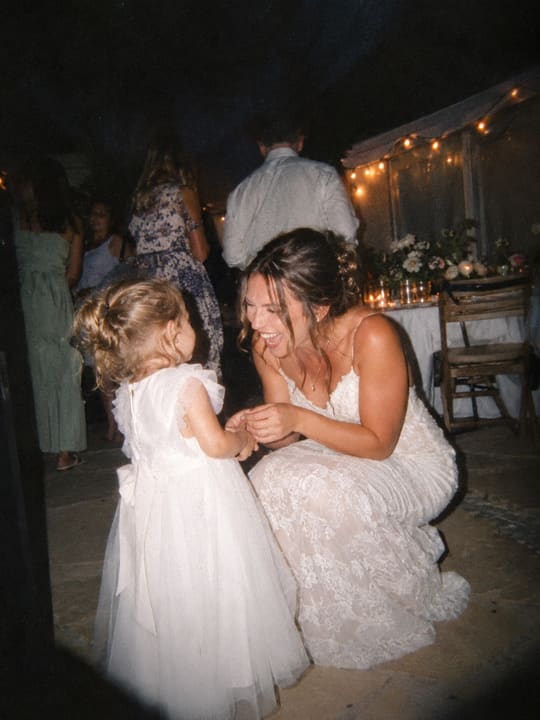
Grandpa mid-laugh at table nine. The flower girl asleep under a chair. The toast, from the back of the room.
The setup
It takes a few minutes, and you can do it weeks ahead so the cards are printed in time.
Planning a wedding weekend? With the iPhone app, one chapter can run up to 7 days (welcome dinner, ceremony, brunch) and each day opens on its own morning. In your browser today, a chapter covers one night.
A wedding day, start to finish
Good to know
Questions about weddings
No. Guests scan your QR code, or tap your link, and the camera opens right in their browser. There is nothing to install and no account to make. They type a first name, confirm they are 13 or older, and start taking photos.
No. Nobody can, not even the host. Until the reveal time, no one is shown a single photo: not guests, not you, and not our support tools.
You can see who has joined and how many photos have come in, but never the photos themselves.
Once a guest has joined, the camera keeps working with no signal. Each photo is saved on the guest’s phone first and sent while the page is open and there is signal. If a guest closes the page, unsent photos wait on the phone and send the next time they open their link. A guest does need a signal for the first visit, to join.
That’s fine. Every guest who does adds another angle on the night. A card on each table and a quick mention from the DJ or emcee give people a nudge.
No. This Chapter is for photos guests take in the moment with the camera they open from your QR code. Your photographer’s photos stay with your photographer.
A full year after the reveal. With the iPhone app, the album shows the exact date. Save the photos you want to keep before then. If you delete your account, your chapters and their photos are erased.
Start for free
Set up your wedding chapter in a few minutes. It’s free for up to 10 guests today, and bigger sizes arrive with the iPhone app.
The iPhone app is with Apple for review. You can start in your browser today.